


Summary: With the typical test management software, teams can quickly run five powerful reports—such as test coverage, execution progress, defect trends, traceability, and risk metrics—all designed to improve visibility, drive data‑informed decisions, and streamline QA workflows by highlighting gaps, trends, and quality status in real time.
Whether you’re tracking progress because of a tight deadline, identifying roadblocks, or sharing updates with various stakeholders, reports provide the information needed to make informed decisions and promote collaboration.
However, when teams rely on manual spreadsheets or a complex mix of different methods to weave together, visualize, and share data, reporting quickly becomes time-consuming and error-prone. This can lead to poor decision-making and missed deadlines.
This is where test management software shines.
With built-in, real-time reporting features, test management tools transform raw testing data into clear, actionable insights. This article will explore five essential reports QA teams can use to stay organized and promote traceability throughout testing.
How Does Test Management Software Boost Your Reporting?
Test management software is designed to make every part of the QA process easier, including by centralizing all testing data—test cases, defects, progress, and results—in one place. This consolidation allows teams to easily create tailored, real-time reports that provide insights about the testing process.
QA managers can:
- Create and share reports: Tailor reports to deliver the right level of detail to testers, developers, managers, and executives.
- Use centralized data: All testing data is stored in one location, facilitating consistency and reducing the risk of missing information.
- Access real-time metrics: Reports can automatically update as testing progresses.
- Increase efficiency: Less time spent on creating reports means more time available for testing and problem-solving.
The 5 Key Reports
Leading test management software like TestMonitor can generate a wide range of reports that QA managers need, including these five key examples:
1. Requirements Coverage Report
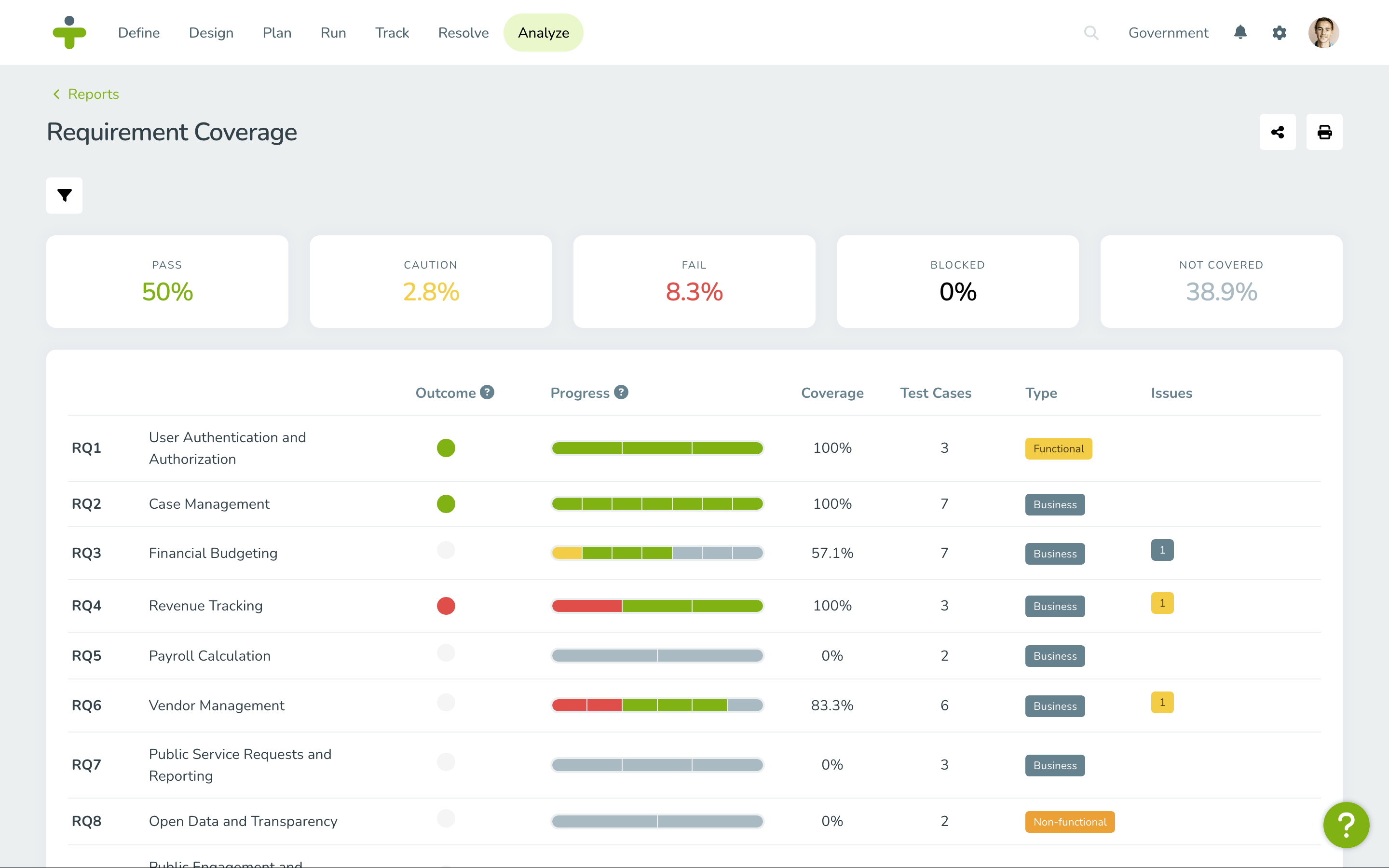
The requirements coverage report provides a high-level overview of how well testing aligns with project requirements. It’s particularly valuable for stakeholders who want to monitor overall testing progress and alignment with initial requirements.
For example, if your project has 100 requirements, you might have thousands of test cases linked to them, along with multiple issues tied to each test. A requirements coverage report helps you visualize this complex relationship and identify where gaps exist.
Key Insights:
- Percentage of requirements covered by tests
- Requirements with failed tests
- Uncovered or partially tested requirements
2. Issue Tracking Report
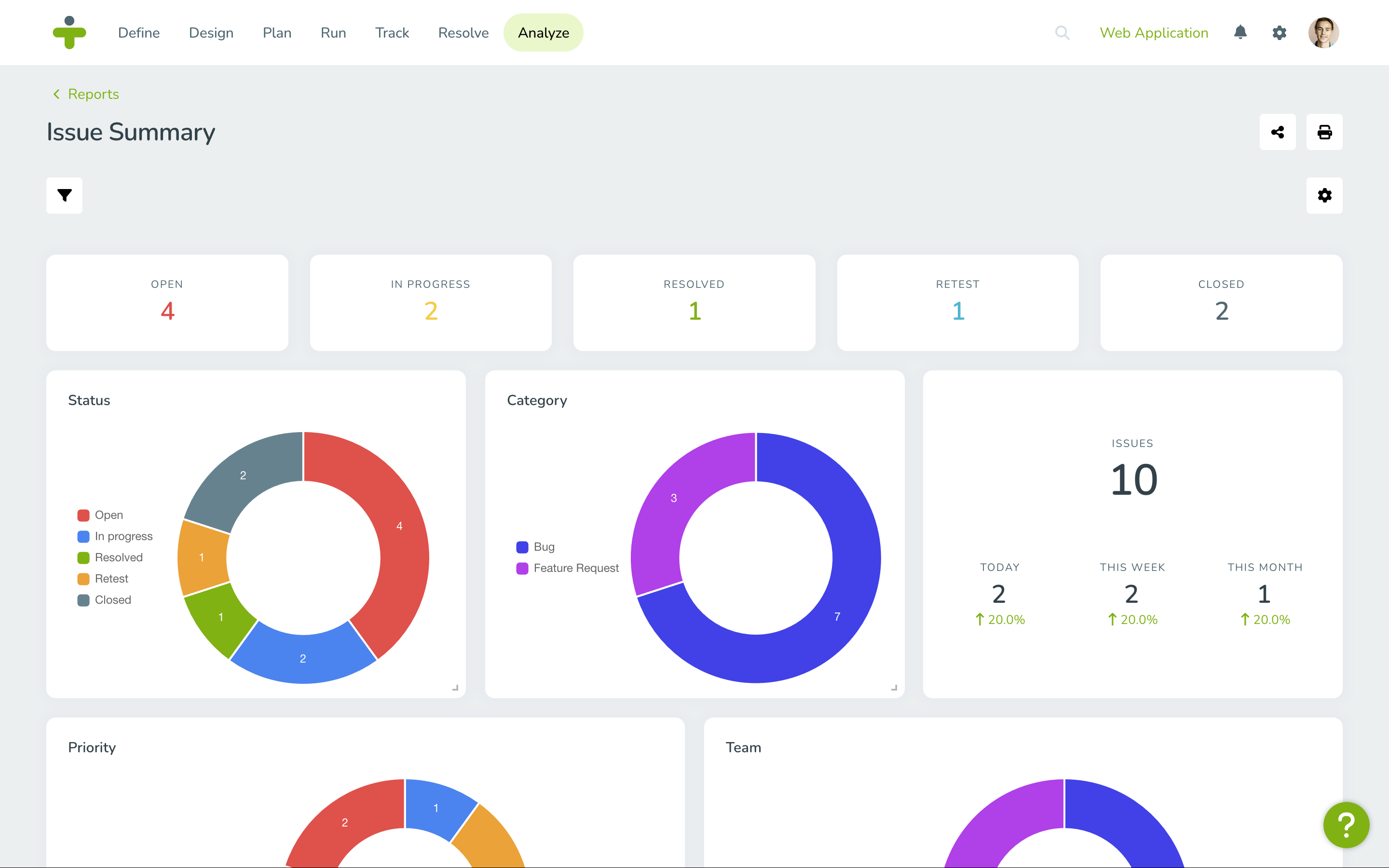
While its name is obvious, the issue tracking report's role is huge: It provides an overview of open, closed, and critical defects across the testing lifecycle. With this report, teams can monitor defect trends, prioritize fixes, and measure progress toward resolving issues.
Test management software like TestMonitor stores the history of each issue by test version, making it easy to track how defects are addressed over time.
Key Insights:
- Total number of defects reported
- Defect distribution by severity (critical, major, minor)
- Average time to resolution
- Status of each defect (open, closed, blocked)
3. Test Coverage Report
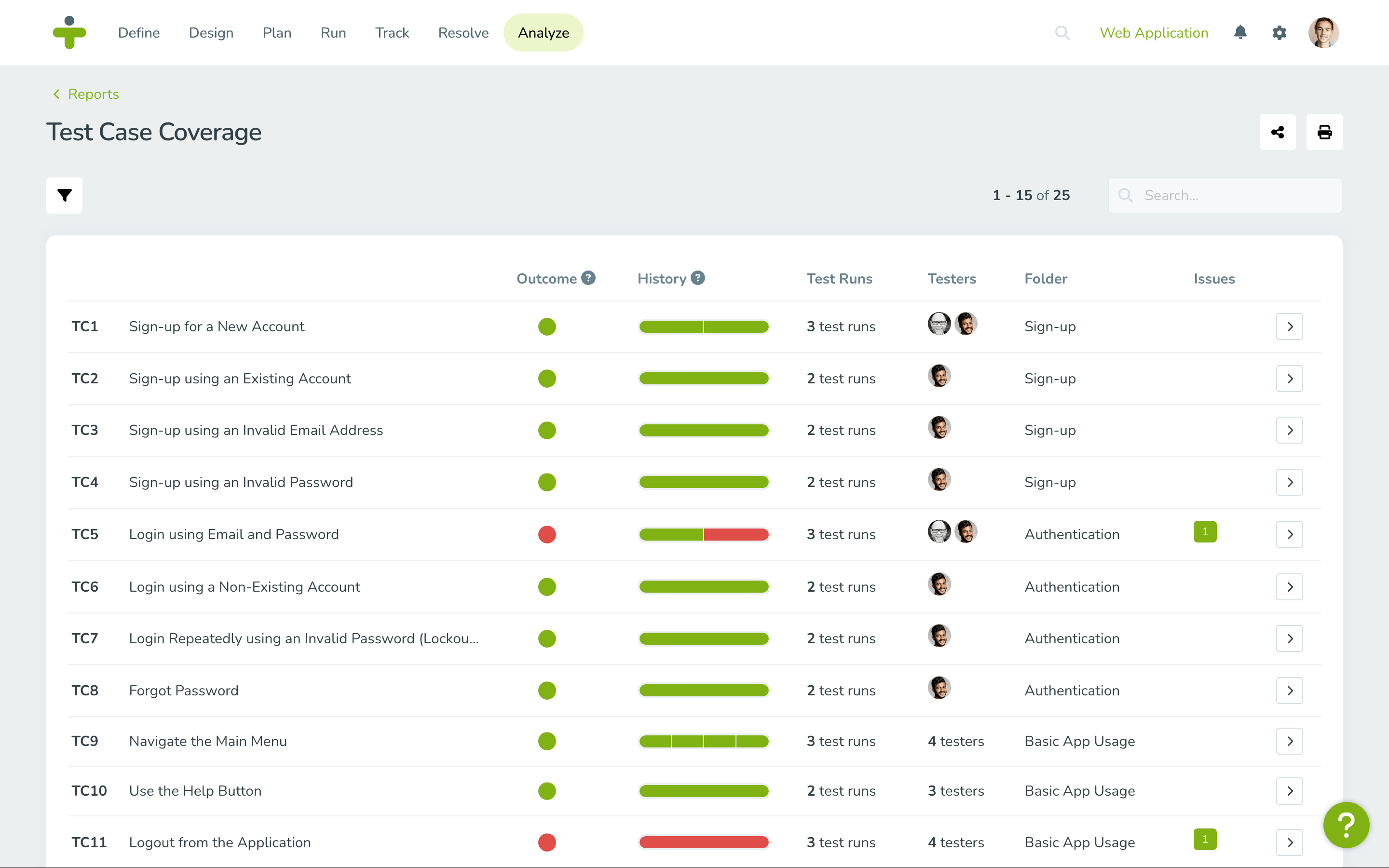
Like the requirements coverage report, the test coverage report helps QA teams to monitor test case coverage and test performance by requirement and feature. It shows how well the test cases align with project requirements and whether any critical test areas are overlooked.
Key Insights:
- Percentage of test cases executed by type (i.e., security, functional)
- Test results by requirement or feature
- Unexecuted test cases
- Pass/fail trends over time
4. Traceability Report
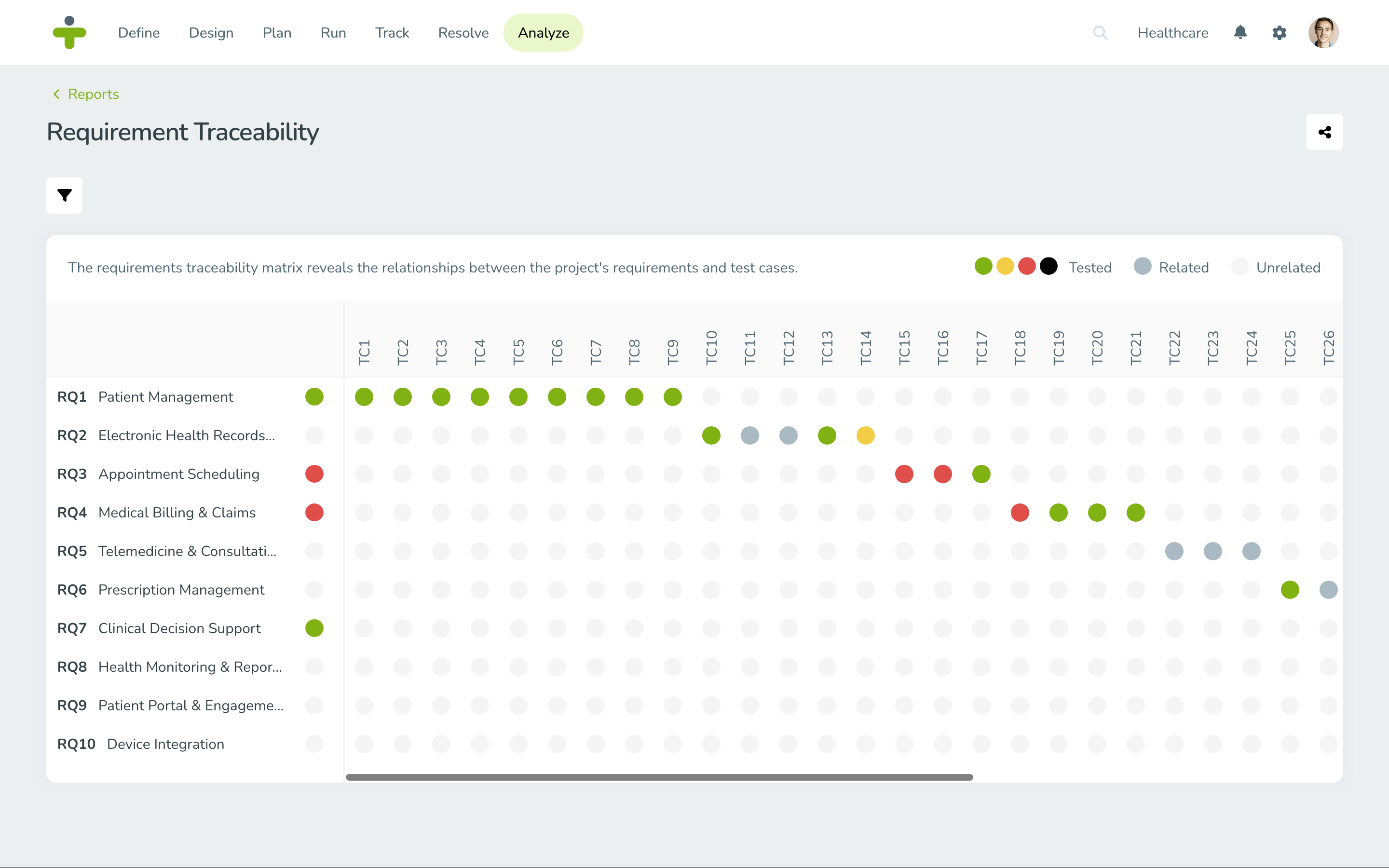
The traceability report also visually represents the relationships between test cases, results, requirements, risks, and defects. A traceability matrix spans the entire testing process, helping QA teams ensure that every requirement is tested and defects are traced back to their source. This type of report is also essential for compliance and audit purposes, as it demonstrates full coverage and accountability.
Key Insights:
- Requirements without linked test cases
- Defects without linked requirements
- Test cases linked to multiple requirements
- Gaps in test coverage
5. Test Workload Report
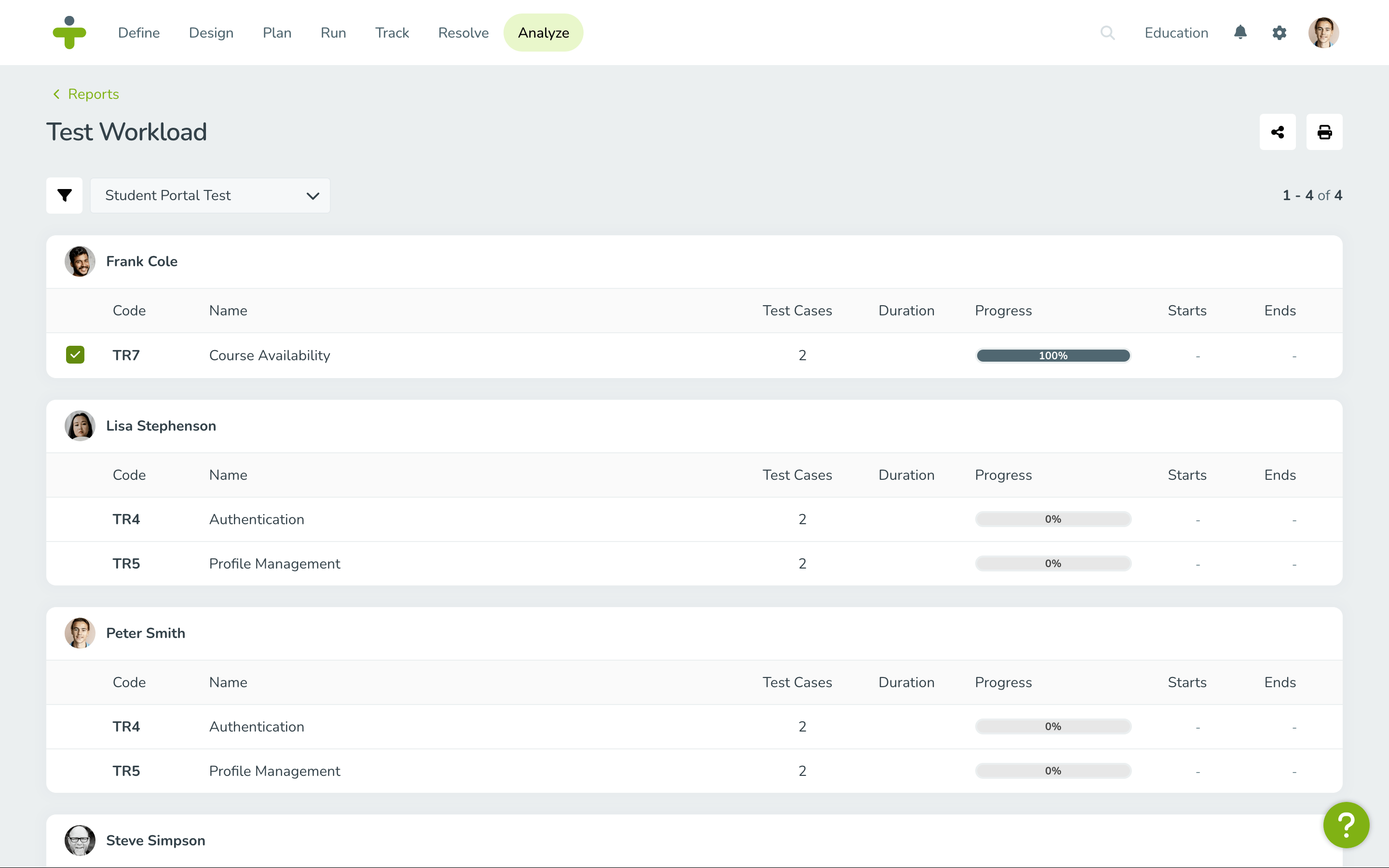
Finally, the test workload report focuses on the human element of the software testing process. This report helps teams balance tester workloads and identify potential bottlenecks early by showing the number of test cases assigned to each tester and their execution progress. With this report, QA managers can allocate resources more effectively so that no team member is overloaded.
Key Insights:
- Test cases executed per tester
- Remaining test cases by tester
- Bottlenecks in the testing process
Take the Next Step
There's more to reporting than fancy visualizations—effective reporting is critical for providing the visibility and insights needed to improve testing efficiency and, ultimately, product quality.
By centralizing testing data and automating the reporting process, test management software like TestMonitor reduces the time spent on manual reporting and helps teams focus on what matters most—building high-quality software.
Want to have more articles like this delivered straight to your inbox? Subscribe to the TestMonitor blog!